Software engineer · devices, agents & the edge

Hello, I'm Krish.I build tools that let AI touch hardware.

MCP servers that drive Android phones, models that run on the device, ESP32 boards on the bench, and a browser fighting game at wtfx.io. Eight years of it, most of it built on a phone.

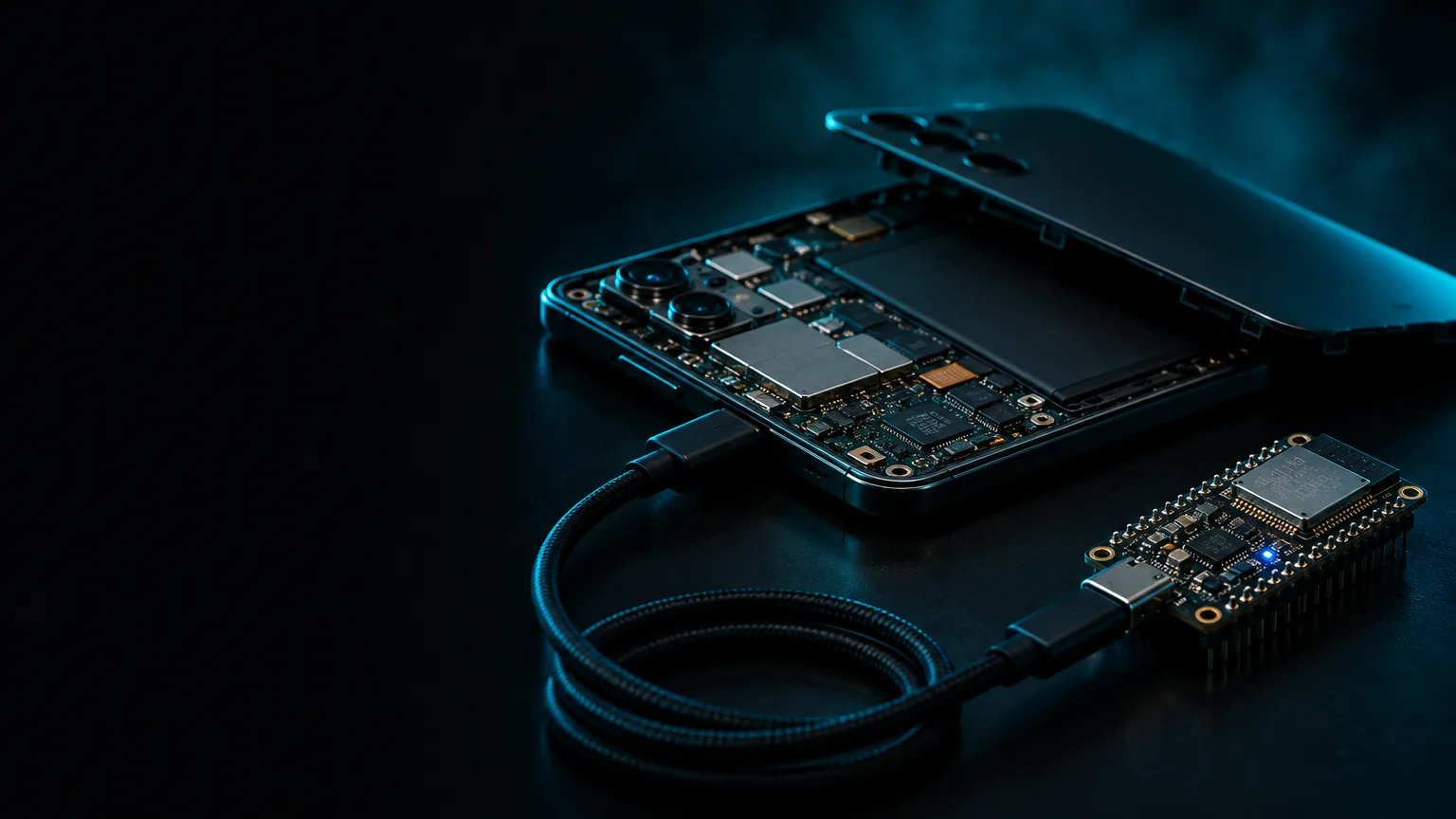
ARTIFACT 01/03 · Android phone, exploded
harrydev.one

Everything I build,
on one device.

adb-mcp · MCP server11 tools
  • tap
  • swipe
  • screencap
  • logcat
Public repos—
Live from GitHub
Where it runs
On device 100%Cloud 0%
5 passing tests, zero hardware needed
The story

From taking phones apart
to giving agents the controls.

I'm a software engineer who treats hardware, models and data as one system. I start with an experiment, build the instrument to measure it, then ship it as something people can use.

  1. 01 · Experiment

    Android as a machine to understand

    It began with bootloaders, recovery images and fastboot. Unbricking a Nothing Phone (3a) with one stock boot image taught me to read a device from the lowest layer up, and I wrote it down so others could repeat it.

    fastbootA/B slotsAPK analysis
  2. 02 · Instrument

    A workstation that fits in a pocket

    Termux, proot and adb turned the phone into a full dev environment, with ESP32 boards on USB-OTG as the bench. Everything after this was built and tested on that setup.

    TermuxPythonNodeESP32
  3. 03 · Agents

    Giving AI agents hands

    adb-mcp exposes eleven narrow tools so a model can tap, swipe, read the screen and inspect logs. It runs locally over stdio and is covered by tests that need no phone.

    MCPFastMCPpytest
  4. 04 · Computation

    Real-time spatial and visual systems

    God's Eye View rendered planetary telemetry in 3D with live orbital and signal feeds. The hero above is a procedural point-cloud engine that projects geometry and draws in ASCII and dither.

    3DCanvasWorkersOn-device AI
How I work

Four rules
I don't skip.

The same loop applies to a firmware fix, an agent tool or a web page.

  1. Make it observable.Every action visible: logs, readouts, a reproducible command. If I can't see it, I can't trust it.
  2. Test without the hardware.Mock the device so logic is verified in CI and on a plane. Real devices are for the last mile.
  3. Keep tools narrow.Small, single-purpose interfaces beat one big shell, for agents and for people.
  4. Ship it, then write it up.A live URL and a post. The work isn't done until someone else can repeat it.
Selected work

Agents with hands.
Phones as workbenches.

Tooling that connects language models to real devices, plus the security and recovery work that comes from living on Android.

MCP serverPython · MIT

adb-mcp

An MCP server that gives AI agents hands on an Android device. It wraps adb in eleven narrow tools, so a model in Claude Desktop or Cursor can see the screen, tap, type, install apps and read logs. Nothing leaves your machine.

$ pipx install adb-mcp
  • Runs onLinux, macOS, Windows, and Termux on Android
  • ConnectsUSB or WiFi through adb
  • ClientsClaude Desktop and Cursor over stdio
  • Testing--mock mode, 5 passing tests, no hardware needed
  • NextStreaming logcat, wireless pairing wizard (planned)
tools/list11
  1. list_devicesConnected devices, USB or WiFi
  2. screencapCapture the current screen
  3. tapTap at screen coordinates
  4. swipeSwipe between two points
  5. input_textType into the focused field
  6. keyeventHome, back, power and other keys
  7. list_packagesInstalled packages
  8. install_apkInstall an APK
  9. launchOpen an app
  10. batteryBattery diagnostics
  11. logcatRead device logs
Retired · 2026

God's Eye View

A planetary spatial-intelligence console: a 3D globe with radio and weather telemetry, live signals, radar contacts, and orbital mission tracking with CRT and thermal visual presets.

Cesium · 3D Tiles · WebGL · WorkersArchived
Recovery · write-up

nothing-phone-bootloop-recovery

Documented rescue of a Nothing Phone (3a) from a boot loop: one stock boot image, flashed to the active slot, and no data lost.

fastboot · bootloader · ramdiskGitHub ↗
Security · JavaScript · Termux

android-security-lab

APK analysis, manifest diffing, and threat hunting. CLI-first architecture that runs anywhere Node does, including directly on the phone under test.

android · pentesting · apk-analysisGitHub ↗
Edge · Cloudflare Workers · TypeScript

harrydev-one

The Cloudflare Worker that serves this site, plus the canvas engine behind the ASCII hero.

Workers · Canvas 2D · TypeScriptGitHub ↗
Signal path

One device,
the whole stack.

A phone is the workstation. Android hosts a Linux userland, models run next to the tools, and the same setup drives hardware on the bench. No stage leaves the device.

  1. Stage 1ARM64

    Android

    The host. adb and on-device tooling to inspect and automate the phone itself.

  2. Stage 2proot

    Termux + Linux

    A full userland with Python, Node and a real shell, without root.

  3. Stage 3MCP

    Local AI

    Models on the device, wired to tools like adb-mcp so they can act.

  4. Stage 4USB · BLE

    ESP32

    Microcontrollers over USB-OTG or Bluetooth LE for sensing and control.

Agents

MCP tooling

Servers that let language models operate phones, files and devices through narrow, testable tools.

MCPFastMCPPython
Security

Mobile security

APK analysis, manifest diffing and threat hunting from the command line.

APKTermuxNode
Recovery

Firmware & boot

Bootloader, fastboot and recovery work, written up so others can repeat it.

fastbootA/B slots
Hardware

Embedded systems

ESP32 firmware and phone-side controllers, connected over USB-OTG and BLE.

ESP32BLEUSB-OTG
Interfaces

Frontend

Fast web interfaces and design systems, including this site and its ASCII artifacts.

CanvasTailwindVite
Inference

On-device AI

Quantised models running locally on phones, close to the tools they call.

GGUFARM64
Field notes

The blog.
Written from the bench.

Long-form notes on the projects above: how they work, why they're built that way, and what I'd do again.

Language models are good at deciding what to do next on a screen. What they lack is a safe, narrow way to actually do it. adb-mcp is my answer for Android: an MCP server that turns adb, the tool every Android developer already has, into a small set of actions an agent can call.

Why adb

adb already does everything an agent needs. It captures the screen, injects taps and swipes, types text, sends key events, installs and launches apps, and reads logs. It works over USB or WiFi, it ships with the platform tools on every desktop OS, and in Termux it's one pkg install android-tools away. Building on it meant no companion app on the phone, no accessibility hooks and no root.

Eleven narrow tools, not one shell

The tempting shortcut is a single adb_shell tool that runs any command. I didn't ship that. A model with a raw shell is hard to reason about, hard to review and easy to misuse. Instead the server exposes eleven tools, each with one job:

  • list_devices, screencap, tap, swipe, input_text and keyevent for seeing and driving the screen.
  • list_packages, install_apk and launch for apps.
  • battery and logcat for diagnostics.

Narrow tools make the transcript readable. When an agent taps, you see exactly where, and a client can ask for approval per tool rather than per arbitrary string.

Local by default

The server speaks MCP over stdio, so the client starts it as a local process and talks to it through pipes. There's no port to expose and no service in the middle. Screenshots and logs go from the phone to your machine and into the client you already use. That's what "zero cloud" means here: adb-mcp itself never sends anything anywhere.

Testing without a phone

Hardware-dependent code is miserable to test, so the server has a --mock mode that answers every tool with canned device responses. The test suite runs against it: five passing tests, zero hardware needed. It also makes the server easy to try in a client before anything is plugged in.

Install

# isolated install that puts the server on your PATH
pipx install adb-mcp

Then add it to Claude Desktop or Cursor as a stdio server. The README on GitHub has the exact client configuration.

What's next

Two things are on the roadmap: streaming logcat instead of fixed reads, and a wireless pairing wizard so connecting a phone over WiFi doesn't mean typing pairing codes by hand.

If you build something with it, or want a tool it doesn't have yet, open an issue on the repo.

Most of what's on this site was written, run and tested on an Android phone. Not as a stunt: a modern phone has more CPU than the laptops I learned on, and working inside its limits keeps my software honest. Here's the setup.

Termux is the base

Termux gives Android a real Linux userland with its own package manager. The core of my toolchain is a handful of packages:

pkg install python nodejs git
pkg install android-tools   # adb and fastboot

When I need a full distribution, for software that assumes glibc or a standard filesystem layout, proot runs one in user space without root. Most days I don't need it.

adb, pointed at the same phone

This is the part people don't expect. On Android 11 and later, Wireless debugging lets adb pair with a device over the local network, and that includes the phone talking to itself. Pair once with adb pair using the code from Developer options, then adb connect, and Termux has adb access to the device it's running on. That's how adb-mcp gets exercised on the same hardware it controls.

Hardware on a cable

An ESP32 connects through a USB-OTG adapter and shows up as a serial device, or talks over Bluetooth LE when I don't want a cable. The phone becomes the controller, the logger and the place the code is written.

Constraints as a feature

  • Performance is visible. If something is slow on a phone with no cloud behind it, I find out immediately.
  • Small tools win. CLIs and single-file builds beat heavy toolchains, which is why this site ships as one HTML file.
  • Local first. When the workstation is the device, sending data elsewhere is a choice I have to make on purpose.

None of this replaces a desktop for everything. But for agents, Android tooling and small hardware, the phone has turned out to be the right bench.

My Nothing Phone (3a) got stuck in a boot loop: logo, restart, logo, restart. The obvious fix is a factory reset, which erases everything. I got it back with a single stock boot image flash instead, and lost nothing. The full write-up is on GitHub; this is the short version and the reasoning.

Why one image can fix it

Android splits storage into partitions. The boot image holds the kernel and the early ramdisk that start the system. Your apps and files live on a separate userdata partition. If the boot image is broken or doesn't match the rest of the firmware, the phone can't get far enough to start Android, so it restarts and tries again. Replacing just that image with the correct stock one fixes start-up without touching userdata.

The shape of the fix

With the phone in its bootloader (fastboot) mode and connected over USB:

fastboot devices                # confirm the phone is seen
fastboot getvar current-slot    # A/B devices: which slot is active
fastboot flash boot boot.img    # stock image, exact same build
fastboot reboot

On A/B devices, flashing boot writes to the active slot, which is why it's worth checking the slot first.

Rules I'd follow again

  • Match the build exactly. The image has to come from the same firmware version the phone is running. Close enough can make things worse.
  • Check which image your firmware ships. On newer devices the generic ramdisk lives in a separate init_boot partition. Flash the one that's actually broken.
  • Never wipe by reflex. Commands like fastboot -w or erasing userdata are the factory reset you were trying to avoid.
  • This needs an unlocked bootloader. Flashing requires it, and unlocking a locked bootloader wipes the phone. If yours is locked, this route won't save your data.
The best recovery is the one you don't need: keep a copy of the stock boot image for your exact build before you modify anything.
Index

Repositories.
Everything public, live.

Live from github.com/axe01010, sorted by stars, then by most recent push.

Public repos—
Last push—
Stars—
Languages—
  • Loading repositories from GitHub…
About

Built on a phone.
Shipped to the web.

I'm Krish, a software engineer with eight years of experience across systems, tooling and interfaces. I'm at my best where a problem crosses layers: hardware to model to browser.

Most weeks that means firmware recovery, APK analysis or bringing up an ESP32. Some weeks it is point clouds, dithering and squeezing a quantised model onto a phone. The glue is Python, TypeScript, MCP and Cloudflare Workers.

I write the tests, ship the live URL and publish the write-up. Android is where I work, not the limit of what I build.

If your problem sits between a device and a model, I want to hear about it.

Host OSAndroid, ARM64
UserlandTermux, proot
LanguagesPython, JavaScript / Node
Agent protocolMCP (FastMCP, stdio)
Device accessadb, fastboot
MicrocontrollerESP32 · USB-OTG, BLE
HeroPoint-cloud artifacts → ASCII, Canvas 2D
GitHub@axe01010
Blog